A fictional garage with different characters.
Overdrive's catalog has 43 fictional cars, including compact roadsters, muscle cars, JDM-inspired coupes and high-revving exotics. Car cards show the model, type, speed and redline. Dimensions, gearing and engine voices differ, so the biggest number on a card is only part of the choice.
Open Garage from the game menu and use the car folders to find a model. A new career offers three free starter choices and 6,000 CR. You buy further career cars with in-game credits. In Free test track, Practice this route and host-enabled Unlock all cars and mods rooms, you can borrow the catalog without buying it.
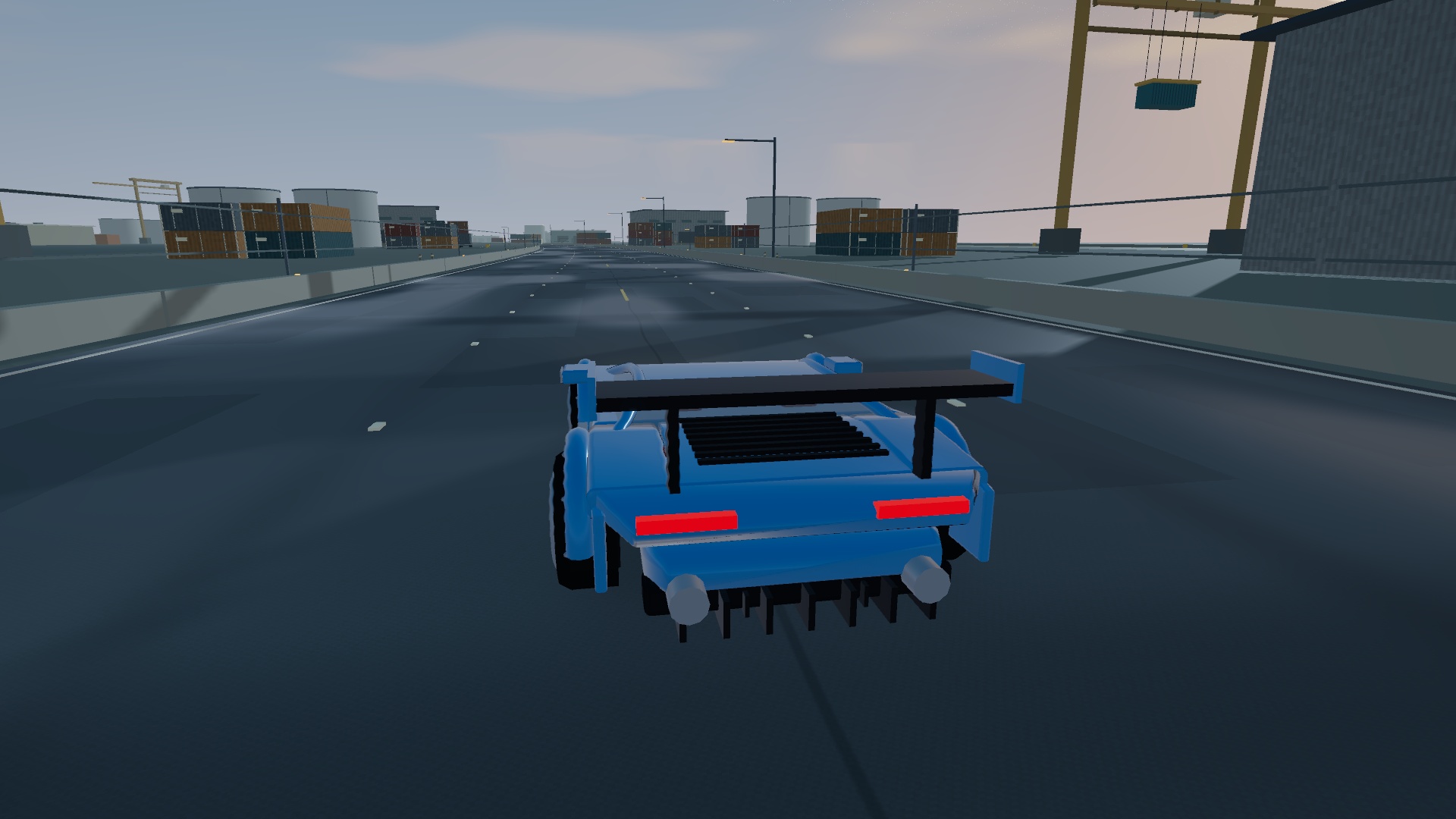
Inspect first. Confirm when ready.
The workshop has Cars, Modifications, ECU Tune and Exterior sections. Selecting an unowned item creates a Preview · Not purchased state. Inspect the large car and the price, then choose Buy & fit to confirm a career purchase or Cancel preview to return to the owned build.
Parts are purchased for the selected car. A variant bought for one model is not a garage-wide unlock. The price and available balance are shown before confirmation. Paint colors are free; other cosmetics and performance variants may use credits.
Drag the main car to orbit and scroll to zoom. Part cards have 3D previews too; keyboard users can focus a preview and use Left/Right. Engine-bay components open the cover where appropriate. Hear engine + test effects lets you audition the selected engine and fitted effects.
Use one car and one route, then change one category at a time. A test build is separate from your career garage. Compare a clean finish and the same corners before buying several upgrades together.
Start with control you can repeat.
| Category | What changes | Useful question |
|---|---|---|
| Tires | Sport, Track and Endurance compounds increase road grip. Rally all-terrain trades some road grip for loose-surface traction. | Am I losing time through ordinary grip, or entering the turn too fast? |
| Brakes | Upgraded discs and calipers increase modeled braking force. | Can I slow consistently before the same corner? |
| Rear aero / body kit | More high-speed grip and visible aero, with a drag or speed tradeoff. | Does this route need corner stability more than maximum speed? |
| Gearbox | Close ratio favors pickup and quicker shifts at the cost of top speed. Long ratio uses taller gearing for fast straights. | Am I spending the run accelerating out of turns or holding a long straight? |
| Differential | Sport helps launch traction. Drift supports a slide after deliberate handbrake input. | Am I building for a clean race line or controlled slides? |
| Weight / wheels | Lightweight trim, carbon packages and wheel variants reduce modeled mass; wheel designs also change appearance. | Can I feel the change with the rest of the build held steady? |
Suspension includes sport and track options alongside air ride, rally lift and dramatic show stances. Read the displayed effect before selecting one. A visually low or tall car is not automatically the quickest build.
Power has a shape, not just a peak.
Turbo upgrades add torque with boost that builds under throttle. Superchargers provide immediate low-end induction torque and a different engine sound. They replace the turbo rather than stacking with it. This makes an induction choice worth comparing through slower corners as well as on a straight.
Intakes and engine internals add torque. Charge-cooling upgrades help when forced induction is fitted. Exhaust variants change the engine's tone and modeled torque; ECU Tune shows the selected build's torque curve alongside the factory car.
The Street torque map strengthens the midrange, while Track power moves the gain higher in the rev range. In manual transmission, watch RPM and choose shifts that keep the car working in a useful range. Start in automatic while you learn a route, then compare manual with the same car.
ECU exhaust character changes the shift sound. Burble, rapid pops, rally and backfire have different rhythms; they are a sound choice rather than a promise of a faster time.
Separate boost, reserve and show effects.
A NOS system must be fitted before Shift, gamepad B or the touch NOS button can add thrust. Room rules can disable it. The reserve refills at the next race, so judge how much you need for the route instead of holding boost at every opportunity.
- NOS capacity adds reserve duration to a fitted system. It does nothing useful without the base NOS part.
- NOS delivery increases thrust, but Sport and Race jets use reserve faster. Stronger delivery and larger tanks solve different problems.
- Dual side purge system adds vapor jets. Hold P to vent; purging consumes NOS without accelerating the car.
- Hydraulics adds a low-speed bounce, activated with H or HOP. Street and Show variants have different movement; this is a show effect, not extra race thrust.
The driving HUD and touch buttons follow your fitted parts. If boost, purge or hydraulics is unavailable, check the build and room restrictions before changing a control binding.
Finish the car you want to see.
Exterior choices include paint colors, metallic or ceramic gloss, satin and brushed alloy finishes, paint designs, special decals, trim and wheels. Solid color, racing stripes and two-tone designs can be combined with a chosen paint color.
Special decals includes flames, checkers and lightning graphics. Its color picker changes the graphic color for free. A different rear wing replaces the factory aero rather than leaving both pieces fitted. Check the preview from the rear and sides before you confirm a cosmetic choice.
Paint and modifications travel with the car into a race room and Motor Social. Other drivers see the build, including supported purge and hydraulic effects. The meet is a useful place to inspect cars, but it does not grant ownership of another player's parts.
Save choices you can return to.
The garage has three preset slots for purchased builds. Save a setup when you are happy with it, then load it to return to that combination. Borrowed test-track or unlock-all builds do not turn into career purchases.
Career progress saves through the account service. Control bindings and hardware calibration remain local to the browser and device, so they do not overwrite a different device's wheel setup when you sign in. Let your career load before buying or restoring a build.